Welcome to Organize It
Organize It is a powerful web application designed to help you plan and manage your trips with ease.
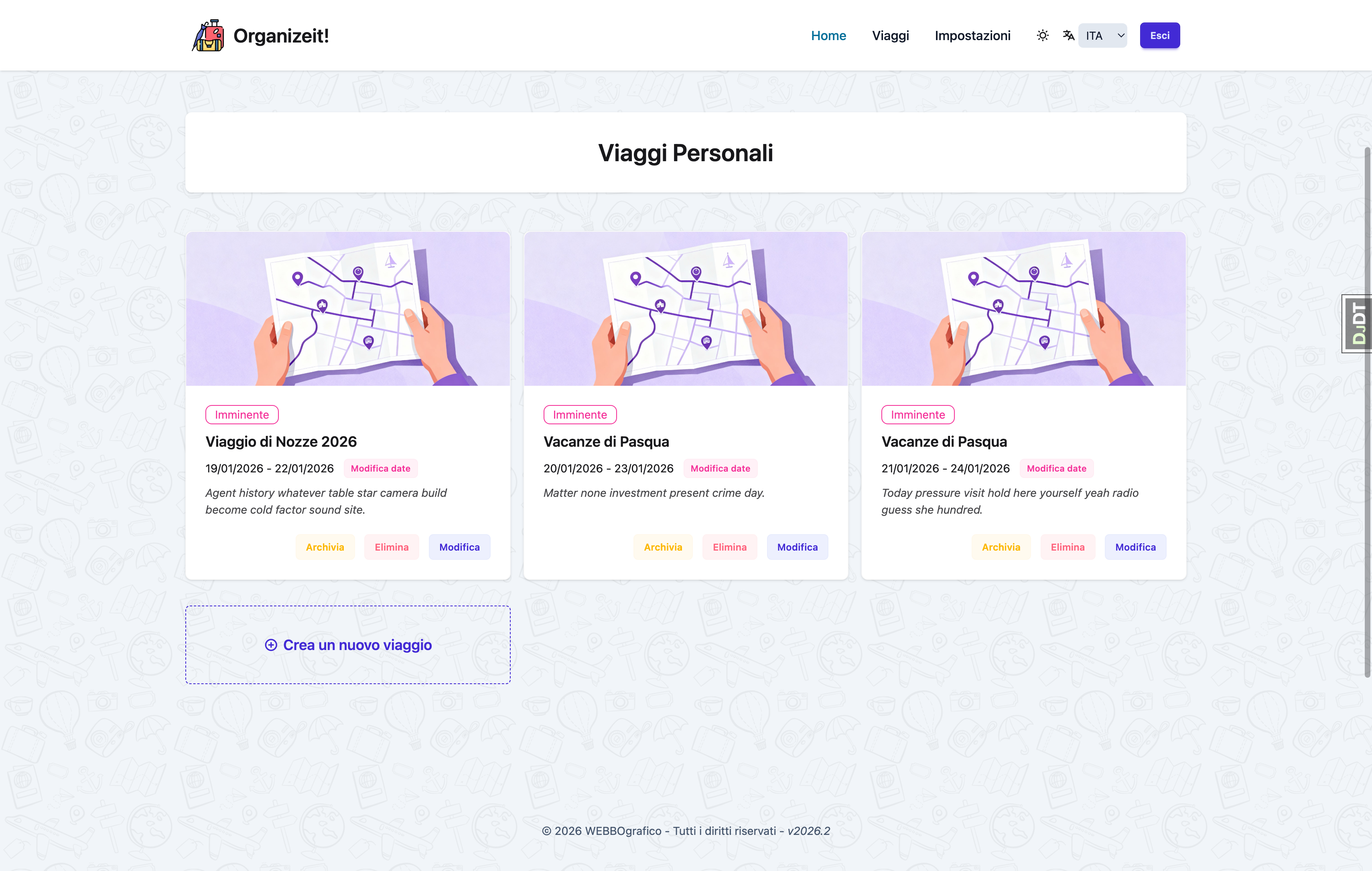 Your trips organized in one place
What is Organize It?
Organize It helps you create detailed travel itineraries by organizing all aspects of your trip in one place:
- Trips - Complete travel plans with automatic status updates
- Days - Auto-generated daily schedules
- Stays - Hotel and accommodation management
- Experiences - Activities, museums, tours, and attractions
- Meals - Restaurant reservations and dining plans
- Transfers - Flights, trains, and transportation
- Shared Expenses - Track costs and split them among participants
Key Features
🗓️ Automatic Day Generation
Days are automatically created from your trip dates. Change your dates, and the itinerary updates automatically.
⏰ Time Conflict Detection
The system warns you when events overlap, helping you create realistic schedules.
🏨 Multi-Day Stays
Accommodations can span multiple consecutive days and appear automatically on all relevant days.
🗺️ Location Integration
Addresses are automatically geocoded with support for Google Places enrichment and map visualization.
🖼️ Beautiful Images
Upload your own cover images or search Unsplash directly from the app.
✨ AI Suggestions
Get AI-generated ideas for places to visit, eat, and stay, tailored to your preferences and grounded on real places. Bring your own provider key (Google Gemini or Mistral AI). The AI can also plan a whole day for you.
💶 Shared Expenses
Track who paid for what and split shared costs among participants, with simplified settlements and support for families where children's shares are charged to their parents.
📲 Installable & Offline
Install Organize It as an app on any device and keep trips you have already opened readable when you lose connectivity.
👥 Collaboration
Invite other users to collaborate on a trip. Each collaborator gets a unique color badge on their contributions, and the trip appears in their "Shared with me" section.
🔗 Trip Sharing
Share a read-only view of any trip via a secure magic link — no account required for recipients.
📱 Responsive Design
Works seamlessly on desktop, tablet, and mobile devices.
Quick Links
-
Getting Started
New to Organize It? Start here!
-
User Guide
Learn about all features in detail.
-
Need Help?
Common questions and troubleshooting.
-
Open Source
Contribute or report issues on Codeberg.
Technology Stack
Organize It is built with modern web technologies:
- Backend: Django 6.0+, Python 3.14+
- Frontend: TailwindCSS, HTMX, Alpine.js
- Database: PostgreSQL (production), SQLite (development)
- Maps: Mapbox, Folium
- Images: Unsplash API integration
Get Started in 5 Minutes
- Install Organize It - Set up the application
- Create your first trip - Follow our detailed tutorial
- Explore features - Learn about all capabilities
Contributing
Organize It is open source! Contributions are welcome:
- Report bugs or request features on Codeberg Issues
- Submit pull requests to improve the code
- Improve documentation
- Share your feedback
License
Check the Codeberg repository for license information.
Ready to start? Head to the Installation Guide to get Organize It running on your machine!